When I first encountered shadow properties in Entity Framework Core, I honestly did not understand why I would ever need them. I was already comfortable adding fields directly into my entities. If I needed CreatedAt or UpdatedBy, I just added them as properties and moved on. That worked fine at the beginning. Later, when projects became bigger and more people touched the same domain models, things started to feel messy. That was the moment shadow properties quietly solved problems I did not even know how to name before.
This post is a long and practical story about how shadow properties helped me keep my domain clean, reduce noise in my entities, and still satisfy real business requirements. All example code in this article is not taken from my actual production projects. It was created only to simplify and demonstrate the concepts discussed.
Shadow properties are properties that exist in the EF Core model but do not exist in your C# entity class. They live in the change tracker and in the database, but not in your code model. At first, this sounds strange. Why would I want something that I cannot see in my entity class. Later, I realized this is exactly why they are powerful.
Imagine a typical business system. You have Orders, Customers, Payments, or Inventory items. Very often, you also have metadata like CreatedAt, UpdatedAt, CreatedBy, TenantId, IsSoftDeleted, or even internal flags used only by the infrastructure. These fields are important for auditing, compliance, or multi tenant logic, but they are not part of the real business concept. When you put all of them into the entity, the class becomes noisy and hard to reason about.
In one of my projects, we had an Order entity that was supposed to represent the business logic only. Over time, it accumulated fields that nobody on the business side cared about. Audit timestamps, internal processing flags, migration markers, and tenant identifiers. Reading that class felt heavy. That was when I started exploring shadow properties seriously.
Let us start with a simple entity.
public class Order
{
    public int Id { get; set; }
    public decimal TotalAmount { get; set; }
}This looks clean and focused. Now imagine you need a CreatedAt timestamp for reporting and auditing. You could add it directly.
public DateTime CreatedAt { get; set; }But what if later you also need UpdatedAt, CreatedBy, UpdatedBy, TenantId, and SoftDeleted. Suddenly, the entity is no longer just about orders. It becomes a storage for infrastructure concerns.
With shadow properties, you define these properties in the model configuration instead of the entity.
protected override void OnModelCreating(ModelBuilder modelBuilder)
{
    modelBuilder.Entity<Order>()
        .Property<DateTime>("CreatedAt");

    modelBuilder.Entity<Order>()
        .Property<DateTime?>("UpdatedAt");

    modelBuilder.Entity<Order>()
        .Property<int>("TenantId");
}There is no CreatedAt property in the Order class, but EF Core still knows about it. It will create the column in the database and track the value internally.
I remember struggling at first with the question, how do I set or read this value if it is not in the entity. The answer is through the change tracker.
When saving data, you can set shadow property values like this.
var entry = context.Entry(order);
entry.Property("CreatedAt").CurrentValue = DateTime.UtcNow;
entry.Property("TenantId").CurrentValue = currentTenantId;This approach feels a bit indirect, but once you get used to it, it becomes natural. More importantly, it keeps the entity clean.
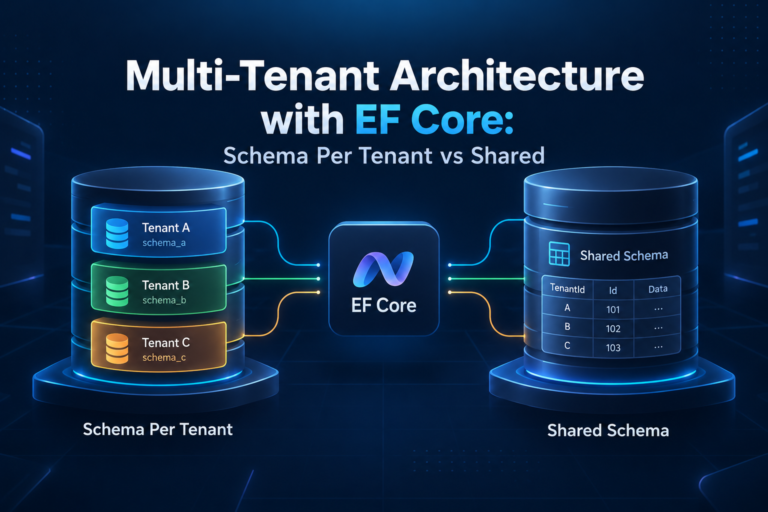
One real situation where this helped me was multi tenant filtering. We had a single database shared by multiple tenants. Every row needed a TenantId, but we did not want developers to accidentally manipulate it in business logic. By making TenantId a shadow property, we ensured it was always controlled by the infrastructure layer.
You can even apply a global query filter using a shadow property.
modelBuilder.Entity<Order>()
    .HasQueryFilter(o =>
EF.Property<int>(o, "TenantId") == currentTenantId);This line became a lifesaver. Every query automatically filtered data by tenant without developers remembering to add a where clause. I remember the relief when we removed dozens of manual filters from repositories.
Shadow properties also work naturally with queries. You can filter using them.
var recentOrders = context.Orders
    .Where(o => EF.Property<DateTime>(o, "CreatedAt") >= startDate)
.ToList();You can project them as well.
var orderSummaries = context.Orders
    .Select(o => new
    {
        o.Id,
        o.TotalAmount,
        CreatedAt = EF.Property<DateTime>(o, "CreatedAt")
    })
.ToList();At first, I found EF.Property a bit ugly to read. Later, I accepted that this explicitness is the price for keeping the entity clean. It also makes it very clear that this data is infrastructure level, not domain level.
Joins and more complex queries also work fine. For example, imagine Orders and Payments, both with TenantId as a shadow property.
var result = from o in context.Orders
             join p in context.Payments on o.Id equals p.OrderId
             where EF.Property<int>(o, "TenantId") == currentTenantId
             select new
             {
                 o.Id,
                 p.Amount
};Another real case where shadow properties helped me was soft deletes. We needed to hide deleted records from normal queries but still keep them for audit and reconciliation.
Instead of adding IsDeleted to every entity, we used a shadow property and a global filter.
modelBuilder.Entity<Order>()
    .Property<bool>("IsDeleted");

modelBuilder.Entity<Order>()
    .HasQueryFilter(o =>
!EF.Property<bool>(o, "IsDeleted"));Deleting an order became an update instead of a delete.
context.Entry(order)
    .Property("IsDeleted")
.CurrentValue = true;This design avoided accidental hard deletes and kept our entities focused on business behavior.
I also used shadow properties for concurrency tokens. Sometimes you need a RowVersion or internal version number, but you do not want it exposed everywhere.
modelBuilder.Entity<Order>()
    .Property<byte[]>("RowVersion")
.IsRowVersion();EF Core handles it automatically, and the domain model stays simple.
There are trade offs, of course. Shadow properties are invisible to IntelliSense. New developers may not immediately see that a column exists. That is why documentation and clear configuration naming are important. In my experience, shadow properties work best when used for cross cutting concerns like auditing, multi tenancy, and infrastructure metadata.
I would not use shadow properties for core business data. If the business cares about it, it should be in the entity. That rule helped me decide when to use them and when not to.
Over time, I started to see shadow properties as a boundary. Everything behind that boundary belongs to persistence and infrastructure. Everything in the entity belongs to business logic. That mental model made my code easier to reason about.
Shadow properties may look like a small EF Core feature, but in real systems they quietly solve problems related to cleanliness, consistency, and accidental misuse. I remember being skeptical at first. Now, I consider them one of those features that you appreciate only after dealing with real production pain.